ReorderableListView
Examples#
Horizontal and Vertical#
import flet as ft


def main(page: ft.Page):
    # the primary color is the color of the reorder handle
    page.theme = page.dark_theme = ft.Theme(
        color_scheme=ft.ColorScheme(primary=ft.Colors.BLUE)
    )

    def handle_reorder(e: ft.OnReorderEvent):
        e.control.controls.insert(e.new_index, e.control.controls.pop(e.old_index))

    get_color = lambda i: (
        ft.Colors.ERROR if i % 2 == 0 else ft.Colors.ON_ERROR_CONTAINER
    )

    page.add(
        # horizontal
        ft.ReorderableListView(
            expand=True,
            horizontal=True,
            on_reorder=handle_reorder,
            controls=[
                ft.Container(
                    content=ft.Text(f"Item {i}", color=ft.Colors.BLACK),
                    bgcolor=get_color(i),
                    margin=ft.Margin.symmetric(horizontal=5, vertical=10),
                    width=100,
                    alignment=ft.Alignment.CENTER,
                )
                for i in range(10)
            ],
        ),
        # vertical
        ft.ReorderableListView(
            expand=True,
            on_reorder=handle_reorder,
            controls=[
                ft.ListTile(
                    title=ft.Text(f"Item {i}", color=ft.Colors.BLACK),
                    leading=ft.Icon(ft.Icons.CHECK, color=ft.Colors.RED),
                    bgcolor=get_color(i),
                )
                for i in range(10)
            ],
        ),
    )


ft.run(main)
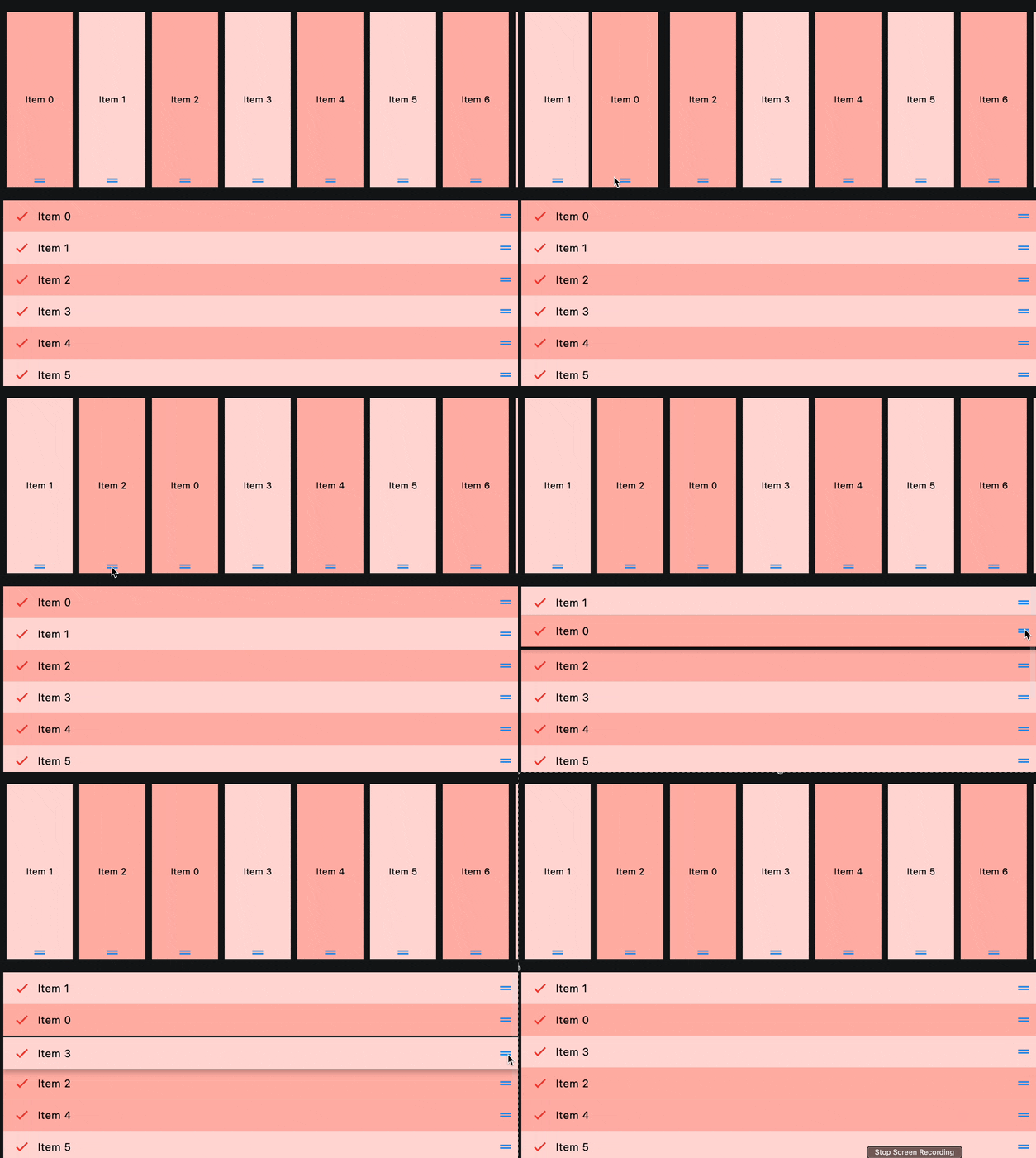
Custom drag handle#
See this.
Bases: ListView
A scrollable list of controls that can be reordered.
auto_scroller_velocity_scalar: Number | None = None
The velocity scalar per pixel over scroll. It represents how the velocity scale with the over scroll distance. The auto-scroll velocity = (distance of overscroll) * velocity scalar.
build_controls_on_demand: bool = True
Whether the controls should be built lazily/on-demand, i.e. only when they are
about to become visible.
This is particularly useful when dealing with a large number of controls.
cache_extent: Number | None = None
The viewport has an area before and after the visible area to cache items that are about to become visible when the user scrolls.
Items that fall in this cache area are laid out even though they are not (yet)
visible on screen. The cache_extent describes how many pixels the cache area
extends before the leading edge and after the trailing edge of the viewport.
The total extent, which the viewport will try to cover with children, is
cache_extent before the leading edge + extent of the main axis + cache_extent
after the trailing edge.
The cache area is also used to implement implicit accessibility scrolling on iOS: When the accessibility focus moves from an item in the visible viewport to an invisible item in the cache area, the framework will bring that item into view with an (implicit) scroll action.
clip_behavior: ClipBehavior = HARD_EDGE
The content will be clipped (or not) according to this option.
first_item_prototype: bool = False
True if the dimensions of the first item should be used as a "prototype" for all
other items, i.e. their height or width will be the same as the first item.
item_extent: Number | None = None
If non-null, forces the children to have the given extent in the scroll direction.
Specifying an item_extent is more efficient than letting the children determine
their own extent because the scrolling machinery can make use of the foreknowledge
of the children's extent to save work, for example when the scroll position
changes drastically.
on_reorder: EventHandler[OnReorderEvent] | None = None
Called when a child control has been dragged to a new location in the list and the application should update the order of the items.
on_reorder_end: EventHandler[OnReorderEvent] | None = None
Called when the dragged item is dropped.
on_reorder_start: EventHandler[OnReorderEvent] | None = None
Called when an item drag has started.
reverse: bool = False
Whether the scroll view scrolls in the reading direction.
For example, if the reading direction is left-to-right and horizontal is True,
then the scroll view scrolls from left to right when reverse is False
and from right to left when reverse is True.
Similarly, if horizontal is False, then the scroll view scrolls from top
to bottom when reverse is False and from bottom to top when reverse is True.