ListView
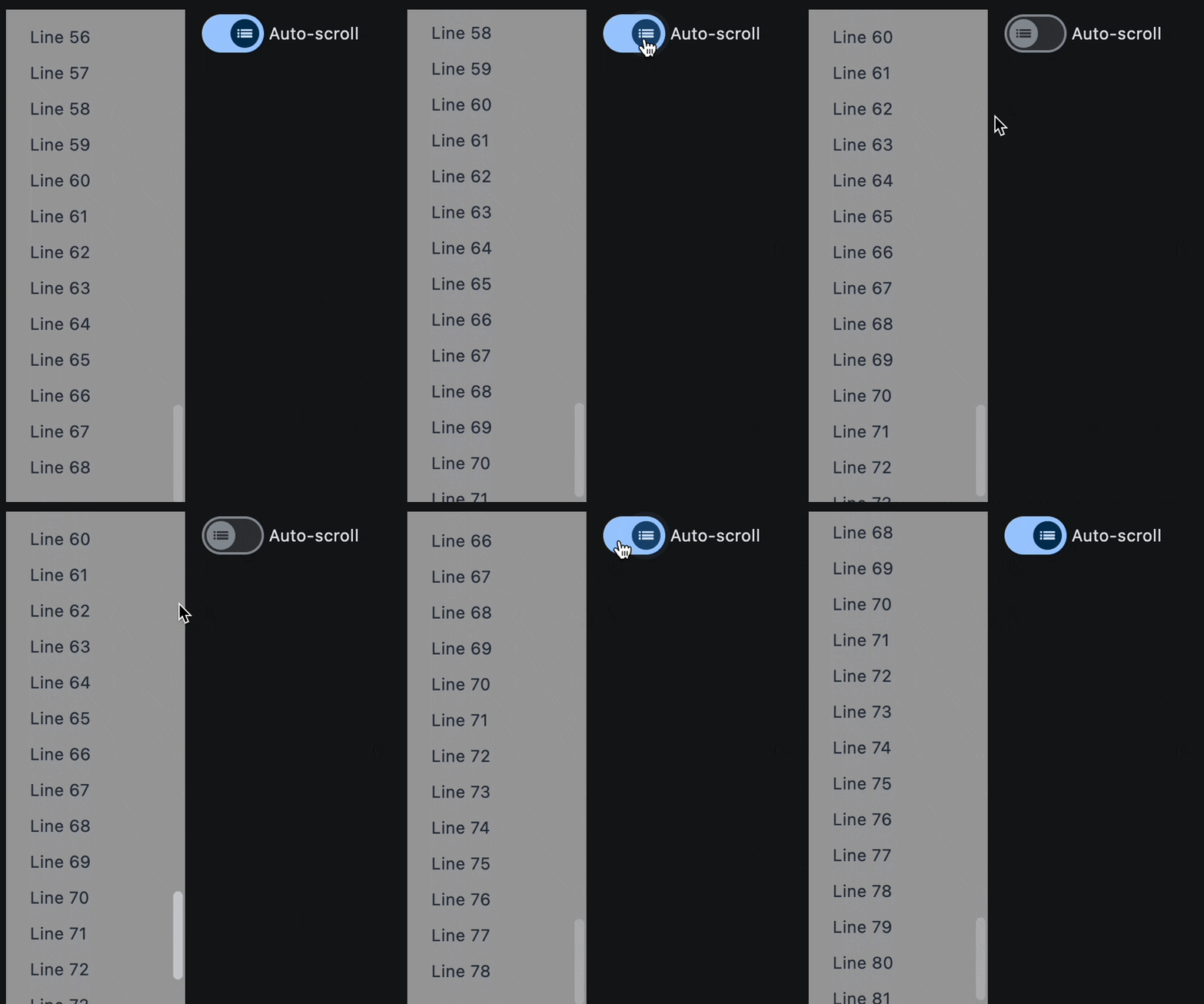
Examples#
Auto-scrolling and dynamical items addition#
import asyncio

import flet as ft


async def main(page: ft.Page):
    def handle_switch_change(e: ft.Event[ft.Switch]):
        lv.auto_scroll = not lv.auto_scroll
        page.update()

    lv = ft.ListView(
        spacing=10,
        padding=20,
        width=150,
        auto_scroll=True,
        controls=[
            ft.Text(f"Line {i}", color=ft.Colors.ON_SECONDARY) for i in range(0, 60)
        ],
    )

    page.add(
        ft.Row(
            expand=True,
            vertical_alignment=ft.CrossAxisAlignment.START,
            controls=[
                ft.Container(
                    content=lv,
                    bgcolor=ft.Colors.GREY_500,
                ),
                ft.Switch(
                    thumb_icon=ft.Icons.LIST_OUTLINED,
                    value=True,
                    label="Auto-scroll",
                    label_position=ft.LabelPosition.RIGHT,
                    on_change=handle_switch_change,
                ),
            ],
        )
    )

    # add a new item to the ListView every 1 second
    for i in range(len(lv.controls), 120):
        await asyncio.sleep(1)
        lv.controls.append(ft.Text(f"Line {i}", color=ft.Colors.ON_SECONDARY))
        page.update()


ft.run(main)
Bases: LayoutControl, ScrollableControl, AdaptiveControl
A scrollable list of controls arranged linearly.
ListView is the most commonly used scrolling control. It displays its children one after another in the scroll direction. In the cross axis, the children are required to fill the ListView.
build_controls_on_demand: bool = True
Whether the controls should be built lazily/on-demand.
This is particularly useful when dealing with a large number of controls.
cache_extent: Number | None = None
Items that fall in the cache area (before or after the visible area that are about to become visible when the user scrolls) are laid out even though they are not yet visible on screen.
The cache_extent describes how many pixels the cache area extends before the
leading edge and after the trailing edge of the viewport.
The total extent covered is:
cache_extent before + main axis extent + cache_extent after.
A list of Controls to display inside ListView.
divider_thickness: Number = 0
If greater than 0 then Divider is used as a spacing between list view items.
first_item_prototype: bool = False
Whether the dimensions of the first item of controls
should be used as a "prototype" for all other items,
i.e. their height or width will be the same as the first item.
item_extent: Number | None = None
A fixed height or width (when horizontal is True)
of an item to optimize rendering.
reverse: bool = False
Whether the scroll view scrolls in the reading direction.
For example, if the reading direction is left-to-right and
horizontal is True,
then the scroll view scrolls from left to right when reverse is False
and from right to left when reverse is True.
Similarly, if horizontal is False, then the scroll view scrolls from top
to bottom when reverse is False and from bottom to top when reverse is True.