TimePicker
Examples#
Basic Example#
import flet as ft


def main(page: ft.Page):
    page.horizontal_alignment = ft.CrossAxisAlignment.CENTER

    def handle_change(e: ft.Event[ft.TimePicker]):
        page.add(ft.Text(f"TimePicker change: {time_picker.value}"))

    def handle_dismissal(e: ft.Event[ft.TimePicker]):
        page.add(ft.Text(f"TimePicker dismissed: {time_picker.value}"))

    def handle_entry_mode_change(e: ft.TimePickerEntryModeChangeEvent):
        page.add(ft.Text(f"TimePicker Entry mode changed to {e.entry_mode}"))

    time_picker = ft.TimePicker(
        confirm_text="Confirm",
        error_invalid_text="Time out of range",
        help_text="Pick your time slot",
        on_change=handle_change,
        on_dismiss=handle_dismissal,
        on_entry_mode_change=handle_entry_mode_change,
    )

    page.add(
        ft.Button(
            content="Pick time",
            icon=ft.Icons.TIME_TO_LEAVE,
            on_click=lambda _: page.show_dialog(time_picker),
        )
    )


ft.run(main)
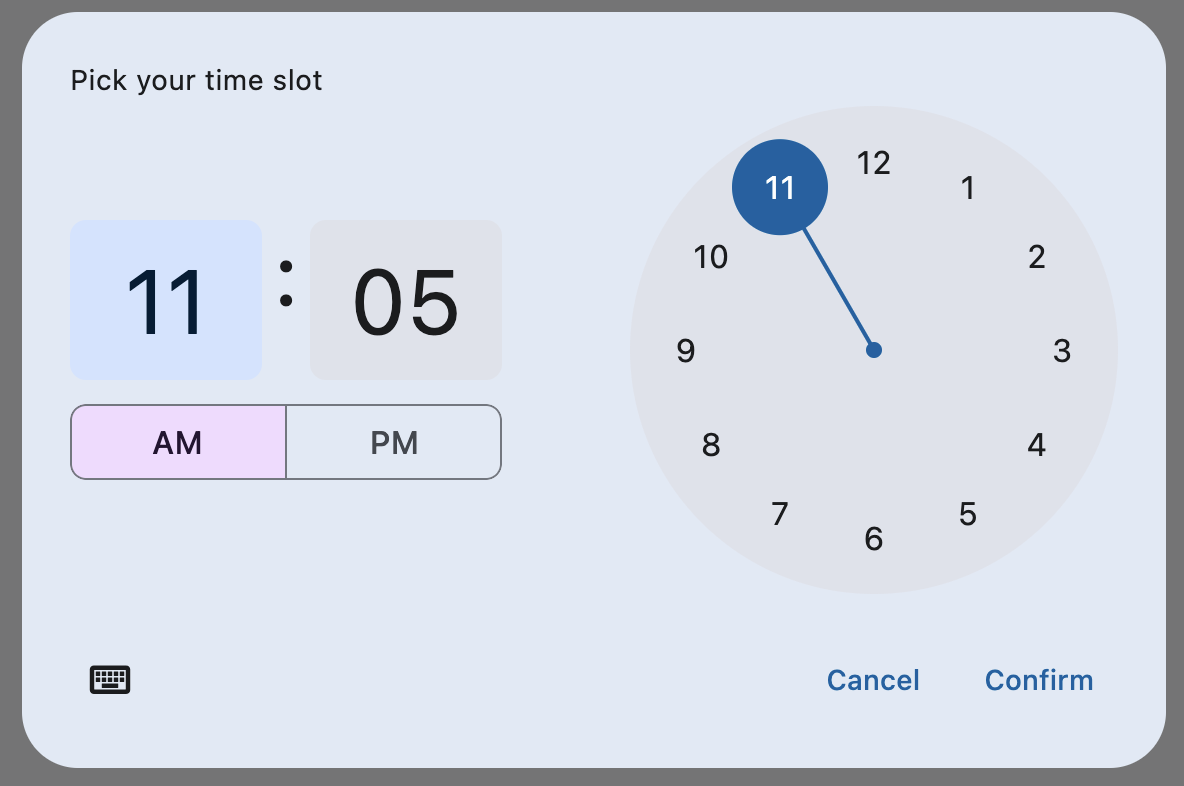
Bases: DialogControl
A Material-style time picker dialog.
Can be opened by calling page.show_dialog() method.
Depending on the time_picker_entry_mode, it will show either a Dial or
an Input (hour and minute text fields) for picking a time.
cancel_text: str | None = None
The text that is displayed on the cancel button. The default value is "Cancel".
confirm_text: str | None = None
The text that is displayed on the confirm button. The default value is "OK".
error_invalid_text: str | None = None
The error message displayed below the input text field if the input is not a valid hour/minute. The default value is "Enter a valid time".
help_text: str | None = None
The text that is displayed at the top of the header.
This is used to indicate to the user what they are selecting a time for. The default value is "Enter time".
hour_label_text: str | None = None
The text that is displayed below the hour input text field.
The default value is "Hour".
minute_label_text: str | None = None
The text that is displayed below the minute input text field.
The default value is "Minute".
on_change: ControlEventHandler[TimePicker] | None = None
Called when user clicks confirm button. value property is updated with selected
time. e.data also contains the selected time.
on_entry_mode_change: (
    EventHandler[TimePickerEntryModeChangeEvent] | None
) = None
Called when the time_picker_entry_mode is changed.
time_picker_entry_mode: TimePickerEntryMode | None = None
The initial mode of time entry method for the time picker dialog.
Defaults to TimePickerEntryMode.DIAL.