CupertinoPicker
Examples#
Fruit selection#
import flet as ft

FRUITS = [
    "Apple",
    "Mango",
    "Banana",
    "Orange",
    "Pineapple",
    "Strawberry",
]


def main(page: ft.Page):
    page.horizontal_alignment = ft.CrossAxisAlignment.CENTER

    selected_fruit_ref = ft.Ref[ft.Text]()

    def handle_selection_change(e: ft.Event[ft.CupertinoPicker]):
        selected_fruit_ref.current.value = FRUITS[int(e.data)]
        page.update()

    cupertino_picker = ft.CupertinoPicker(
        selected_index=3,
        magnification=1.22,
        squeeze=1.2,
        use_magnifier=True,
        on_change=handle_selection_change,
        controls=[ft.Text(value=f) for f in FRUITS],
    )

    page.add(
        ft.Row(
            tight=True,
            controls=[
                ft.Text("Selected Fruit:", size=23),
                ft.TextButton(
                    content=ft.Text(value=FRUITS[3], ref=selected_fruit_ref, size=23),
                    style=ft.ButtonStyle(color=ft.Colors.BLUE),
                    on_click=lambda e: page.show_dialog(
                        ft.CupertinoBottomSheet(
                            content=cupertino_picker,
                            height=216,
                            padding=ft.Padding.only(top=6),
                        )
                    ),
                ),
            ],
        ),
    )


ft.run(main)
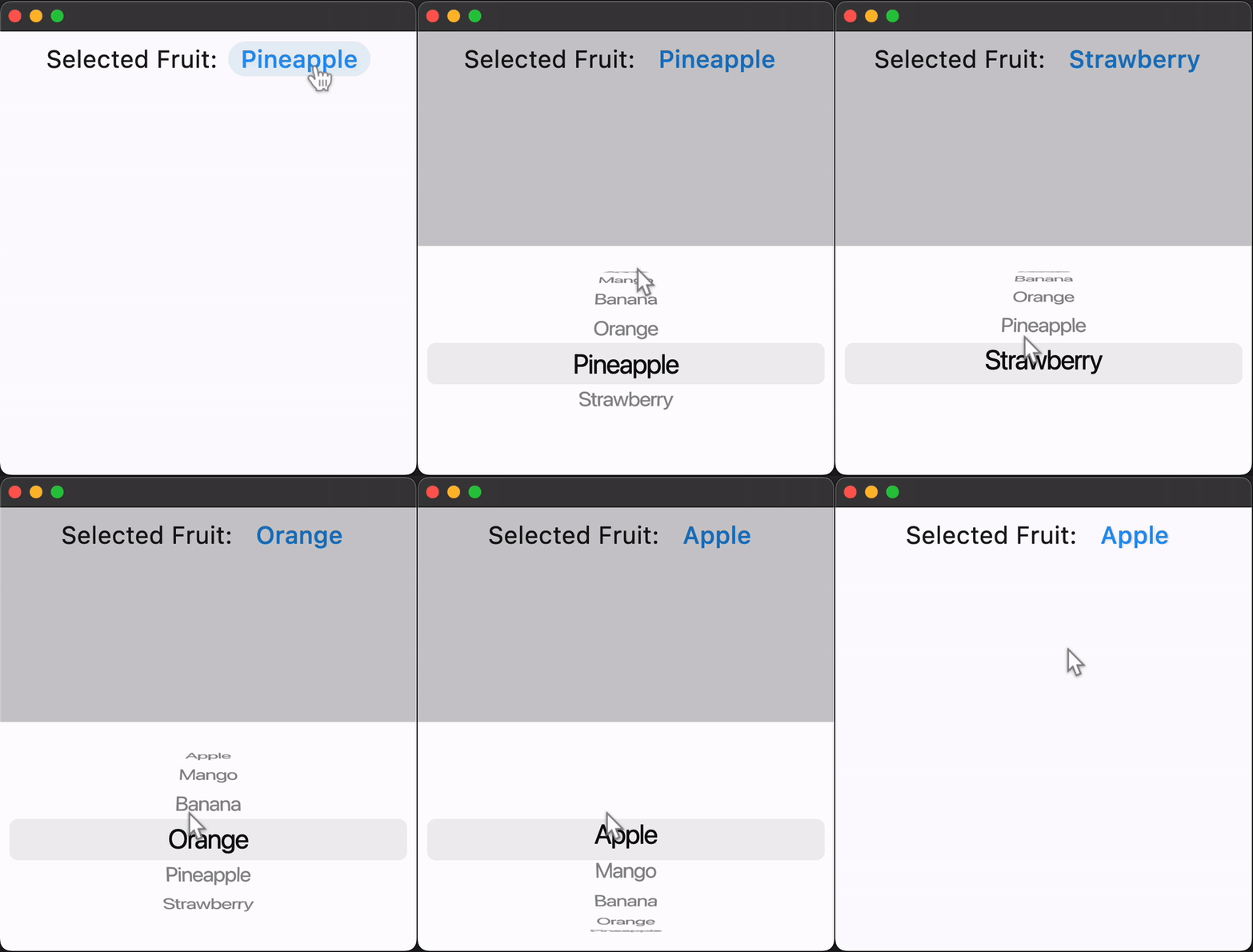
Bases: LayoutControl
An iOS-styled picker.
| RAISES | DESCRIPTION |
|---|---|
AssertionError
|
If |
A list of controls representing items in this picker.
default_selection_overlay_bgcolor: ColorValue = (
    TERTIARY_SYSTEM_FILL
)
The default background color of the selection_overlay.
diameter_ratio: Number = 1.07
Relative ratio between this picker's height and the simulated cylinder's diameter.
Smaller values create more pronounced curvatures in the scrollable wheel.
magnification: Number = 1.0
The zoomed-in or magnification rate of the magnifier.
If the value is greater than 1.0, the item in the center will be zoomed in by that
rate, and it will also be rendered as flat, not cylindrical like the rest of the
list. The item will be zoomed-out if magnification is less than 1.0.
Note
Has effect only if use_magnifier is True.
off_axis_fraction: Number = 0.0
How much the wheel is horizontally off-center, as a fraction of its width.
on_change: ControlEventHandler[CupertinoPicker] | None = (
    None
)
Called when the selection changes.
selected_index: int = 0
The index (starting from 0) of the selected item in the controls list.
selection_overlay: Control | None = None
A control overlaid on the picker to highlight the selected entry, centered and matching the height of the center row.
Defaults to a rounded rectangle in iOS 14 style with
default_selection_overlay_bgcolor as background color.